
Colortrac SmartWorks Touch
Simple and easy to use, SmartWorks Touch is the power behind the latest SmartLF SCi and SGi scanners to deliver great features and maximise workflow.
Included as standard on these models, manage scan, print and copying from a single screen and edit images without having to rescan.
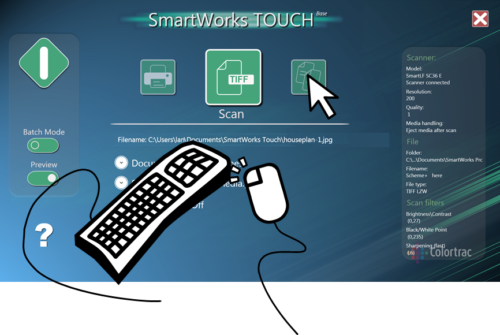
SmartWorks Touch Features
- Simple and easy to use
- Single-screen interface design
- Use with touchscreen or mouse/keyboard
- Manage scan, print and copy functions
- 9 built-in document presets
- Create custom presets
- Scan to file, email or USB memory
- Auto page size detection
- Adjustable scan speed
- Batch scan mode
- Preview mode
- Scan once and edit – no rescanning required
- Edit images in real-time
- Save to popular image formats
- Choice of 11 languages
- Included as standard with all SmartLF SCi/SGi scanners
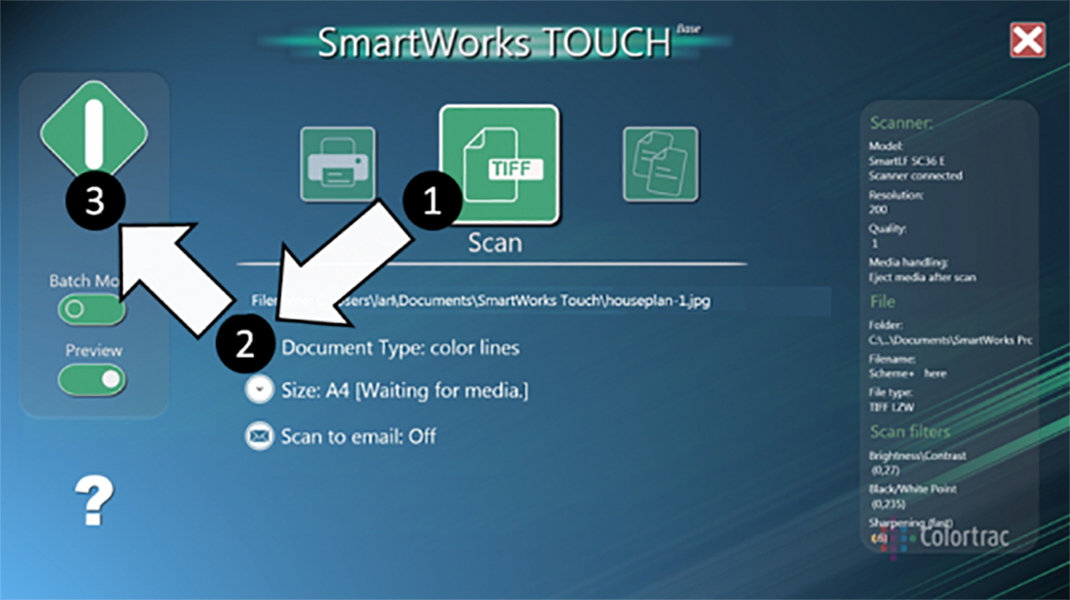
It's as easy as 1, 2, 3!
Forget about complicated steps and processes, with SmartWorks Touch, Colortrac make the process of scanning quick and easy.
With 9 built-in and optimised presets for common document types, simply find the one that best matches your document and select. Colortrac has worked out all the correct sets such as DPI, image format and colour settings so you’ll get the best image quality without any adjustments needed.
So just select scan mode, choose your preset and press scan. That’s all you have to do. It even has an auto-size detection so your images are perfectly sized and cropped. It all makes scanning quick, simple and easy.
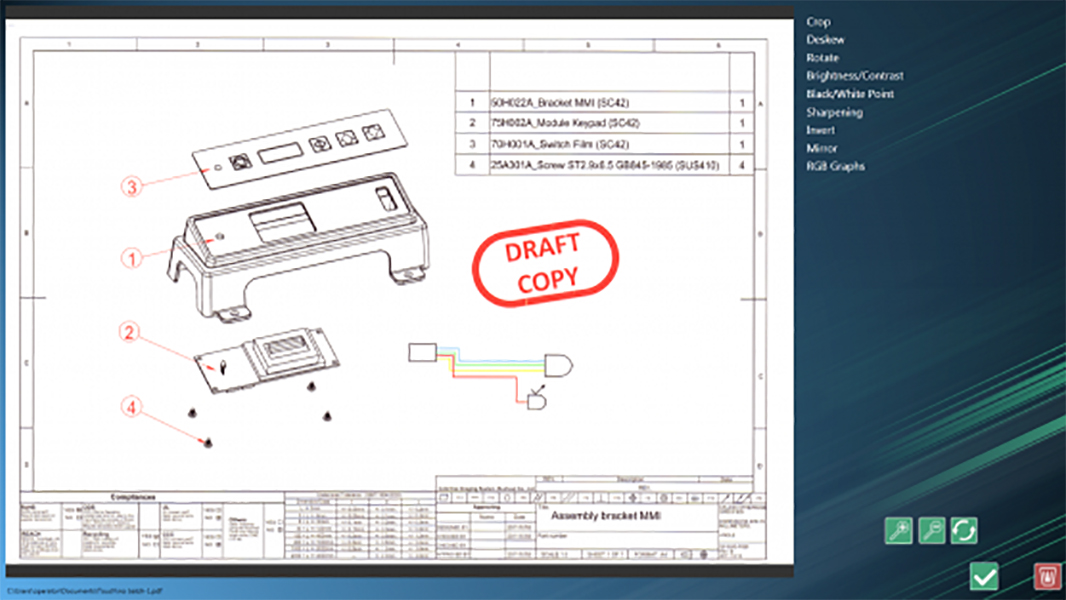
Scan once, edit many times
Some scanning applications require you to rescan images after making any changes. It’s an extra step to factor it in and can soon make a project drag on.
Not with SmartWorks Touch. You just scan your original once and any edits you make can be applied and saved to your first scan. With editing features such as deskew, sharpen, colour/brightness and black/white point, you can really fine-tune your images to be exactly how you want them.
View your edits on the real-time preview and zoom in and out to really see how they work on your image. Not happy with your edits? Simply undo them and start again, no rescanning is required as all changes are only confirmed when you save.

Create custom presets and more
SmartWorks Touch is designed to give you complete control so choose from built-in presets (colorphoto, color lines, color document, highlighter, gray photo, gray lines, pencil tracing, bw copy and bw original) or create your own.
Choose your preferred DPI, image format and save settings such as colour/brightness, sharpness and white/black balance/threshold to create a custom preset you can recall for next time.
Use the speed control feature to slow or fasten the scanning speed. It’s a great feature when you might need to scan a fragile document or to scanning through batches of plan prints in a matter of minutes.
Please Note – Product model images/videos shown may show/include additional options, accessories and/or features available at additional cost. For additional information, please refer to product key features, product specification table and datasheet information. Features, specifications, software, and any additional information provided may be subject to change or revision without notice.
Any automatic processing features and benefits mentioned are intended to aid user experience, but results may vary depending on your usage and the media being scanned. Any errors or inaccuracies with automatic processing features and benefits do not indicate an error with the functionality of the scanner.
Equipment performance, features and capabilities are based on using the equipment’s proprietary included software (if applicable). The use of the equipment with any third-party software is not guaranteed or implied and guidance should be sought from the third-party software manufacturer or vendor to ensure compatibility with your intended usage.
Equipment features and benefits may vary depending on the operating system version, configuration, and type. As such, differences in functionality and available features may occur. Please refer to the datasheet and specification information of the equipment fully to check if any such differences exist. E&OE
SmartWorks Touch is compatible with
SmartLF SCi 25m/25c/25e
SmartLF SCi 36m/36c/36e
SmartLF SGi 36m/36c/36e*
SmartLF SGi 44m/44c/44e*
SmartLF SCi 42m/42c/42e*
SmartLF SC Xpress 25m/25c/25e
SmartLF SC Xpress 36m/36c/36e
SmartLF SC Xpress 42m/42c/42e
SmartLF SG 36m/36c/36e*
SmartLF SG 44m/44c/44e*
* When connected via USB only. Network scanning is not supported. For network scanning support, please consider SmartWorks Imaging.
SmartWorks Touch MFP is compatible with
SmartLF SCi MFP 25/36/42
SmartLF SC Xpress MFP 25/36/42
Looking to become a trade, reseller or partner with BDM Distribution?
If you are looking to become a Contex, Colortrac, Scan Dimension or Microtek reseller partner, contact us today. BDM Distribution is always focused on supporting our resellers and partners with a fair and rewarding distribution model that allows them to grow and develop to explore new channels and appeal to new and existing customers.